> For the complete documentation index, see [llms.txt](https://docs.novacura.com/marketplace-documentation/llms.txt). Markdown versions of documentation pages are available by appending `.md` to page URLs; this page is available as [Markdown](https://docs.novacura.com/marketplace-documentation/applications/explore-apps/ifs/shop-floor-reporting-1/documentation/ifs-applications-10.md).
# IFS Applications 10
Supplier Invoice Automation simplifies the supplier invoicing process by automatically retrieving invoice PDFs from email, extracting key data using AI, and creating manual invoices in IFS for further financial processing.
The application leverages Microsoft Azure Document Intelligence and OpenAI to ensure accurate data extraction and structured invoice creation significantly reducing manual effort in financial operations. Whether fully automated or manually assisted, every invoice flows into IFS for review, validation, and eventual processing, maintaining traceability and data integrity throughout the invoice lifecycle.
Supplier Invoice Automation enhances financial efficiency by removing bottlenecks in invoice intake, enabling finance teams to focus on review and exception handling instead of data entry.
##
***
## Functionality
#### **Email Inbox Monitoring**
* FLOW scans a configured email inbox for unread emails with PDF attachments
* Emails are marked as read after processing
* Metadata (e.g. sender, subject) is logged and visible in the Portal
***
**Invoice Scanning (Document Intelligence)**
* PDF attachment is sent to **Azure Document Intelligence**
* Header and line-level fields are extracted:
* Supplier Name
* Invoice Number
* Currency
* Dates (Invoice, Due)
* PO Number
* Net Amount, Tax, Total
* Line Details (Description, Qty, Price, Tax Rate, etc.)
* Data is returned in structured format (JSON)
***
**Data Structuring (OpenAI)**
* Invoice line data is passed to OpenAI for cleanup and organization
* Final structured JSON is returned and prepared for IFS load
***
**Validation and Confidence Check**
* Confidence levels are checked only for invoice header fields
* If **confidence ≥ threshold** → Invoice proceeds to automatic creation
* If **confidence < threshold** → Invoice remains in “Loaded” or “Checked” state for manual review
* Validation checks include:
* Supplier matching
* Format correctness (dates, currency)
* Required fields presence
* If there are low confidence levels on the header details, that will be saved under the column 'Label Note' in the header details of the External Supplier Load Information
***
**IFS Integration – Load Package**
* Validated data is sent to IFS via IFS Connect
* External Supplier Load Package is created
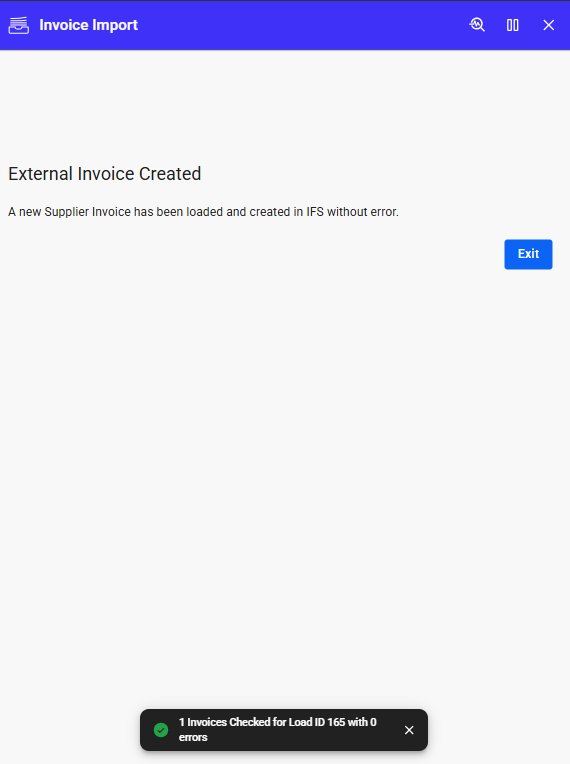
* If no errors, a **Manual Supplier Invoice** is automatically created in IFS
* If errors, invoice status is retained as “Loaded” or “Checked” for further action
***
**Portal Solution**
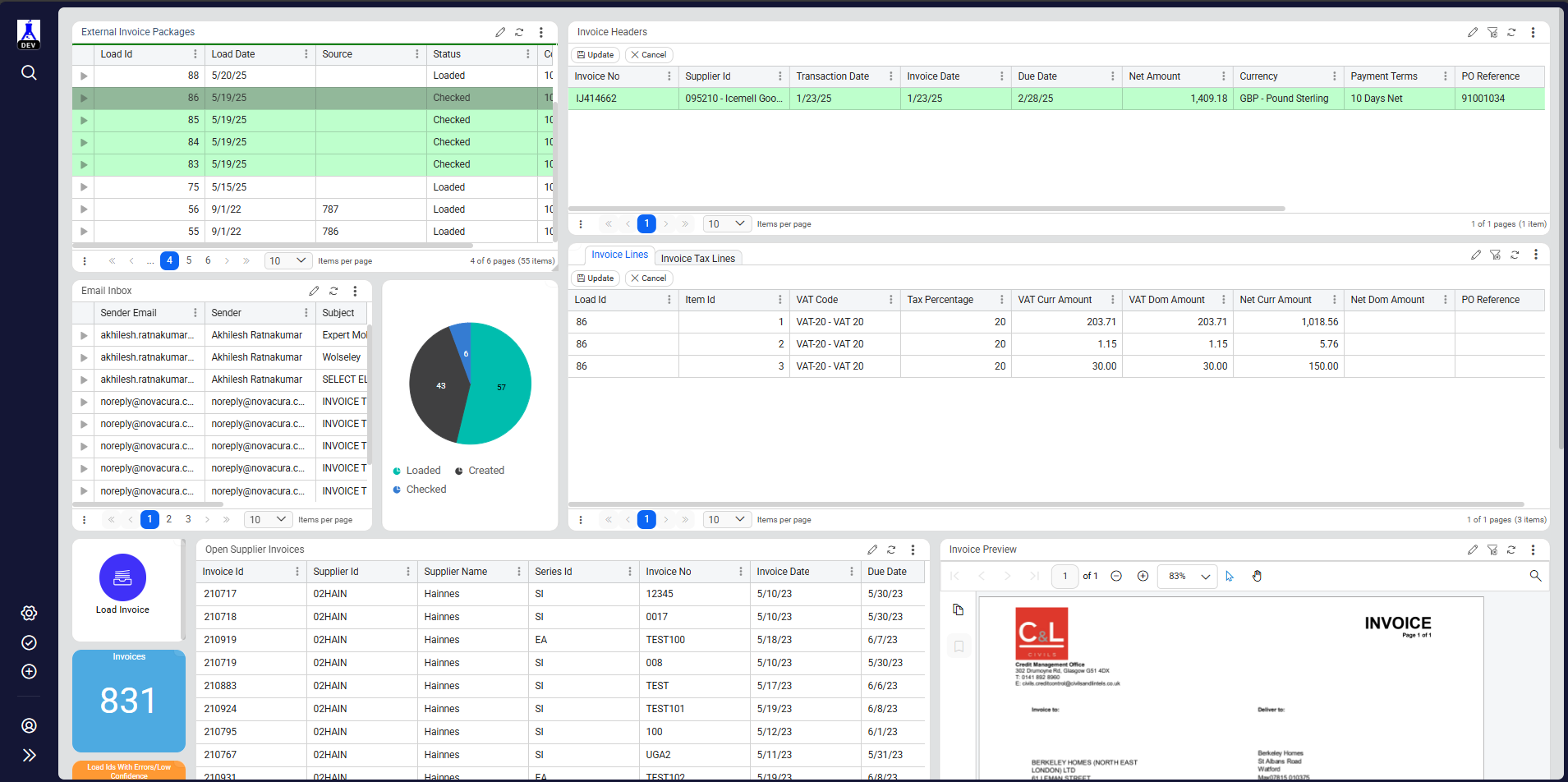
* Users access the Portal to:
* View problematic invoices
* Edit header/line details on Load Packages
* Re-check and create invoices from Load Packages
* Visual indicators:
* Invoices with errors are highlighted in red
* Pie charts show invoice counts by state (Loaded, Checked, Created)
* Quick action buttons allow immediate re-processing
* Quick action button in the email inbox portlet that directly runs the manual invoice app for the attachment under the respective email.
***
**Manual Invoice Upload (Optional)**
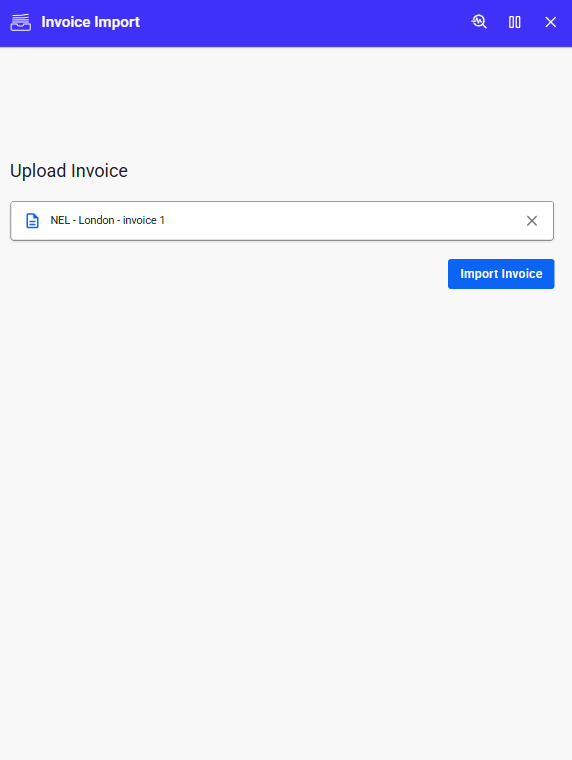
* Users can upload supplier invoices manually through the **Load Invoice** portlet
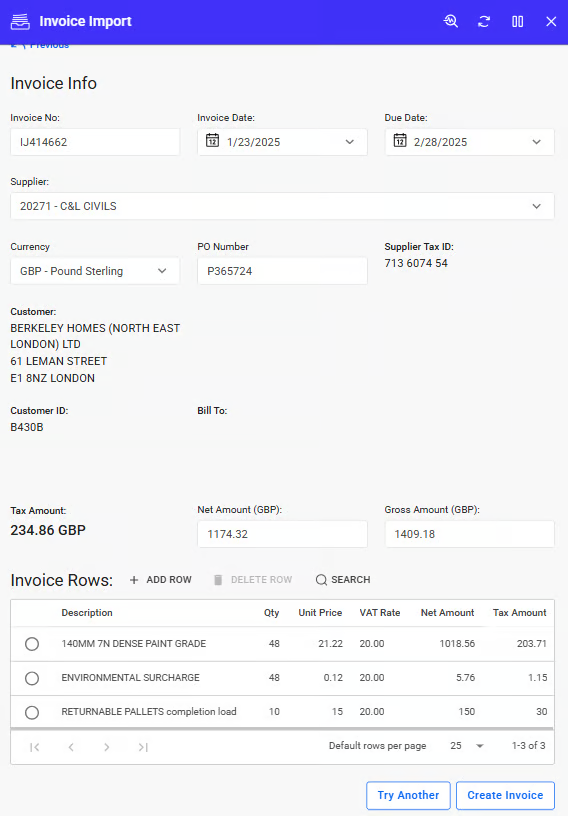
* Same AI-driven extraction and validation process is applied
* Users can review/edit extracted data before proceeding to invoice creation
***
**Automation Scheduling**
* Invoice Automation workflow can be scheduled via Flow Hub
* Runs on configured intervals
* Fetches new emails, processes invoices, and triggers IFS integration automatically
---
# Agent Instructions
This documentation is published with GitBook. GitBook is the documentation platform designed so that both humans and AI agents can read, navigate, and reason over technical content effectively. Learn more at gitbook.com.
## Querying This Documentation
If you need additional information that is not directly available in this page, you can query the documentation by asking a question.
Perform an HTTP GET request on the following URL with the `ask` and `goal` query parameters:
```
GET https://docs.novacura.com/marketplace-documentation/applications/explore-apps/ifs/shop-floor-reporting-1/documentation/ifs-applications-10.md?ask=&goal=
```
`ask` is the immediate question: it should be specific, self-contained, and written in natural language.
`goal` is what the user is ultimately trying to achieve, the reason they need the answer. Sharing it helps GitBook give you a better, more relevant answer. A goal is most helpful when it describes the outcome the user wants rather than restating the question. For example, with `ask=how do I create an API token`, a goal like `automate deployments from our CI pipeline` lets GitBook tailor the answer to that use case.
The response will contain a direct answer to the question and relevant excerpts and sources from the documentation.
Use this mechanism when the answer is not explicitly present in the current page, you need clarification or additional context, or you want to retrieve related documentation sections.
.png?alt=media&token=d45a3b03-7e1a-4178-917a-ca3c0324b4ca)